
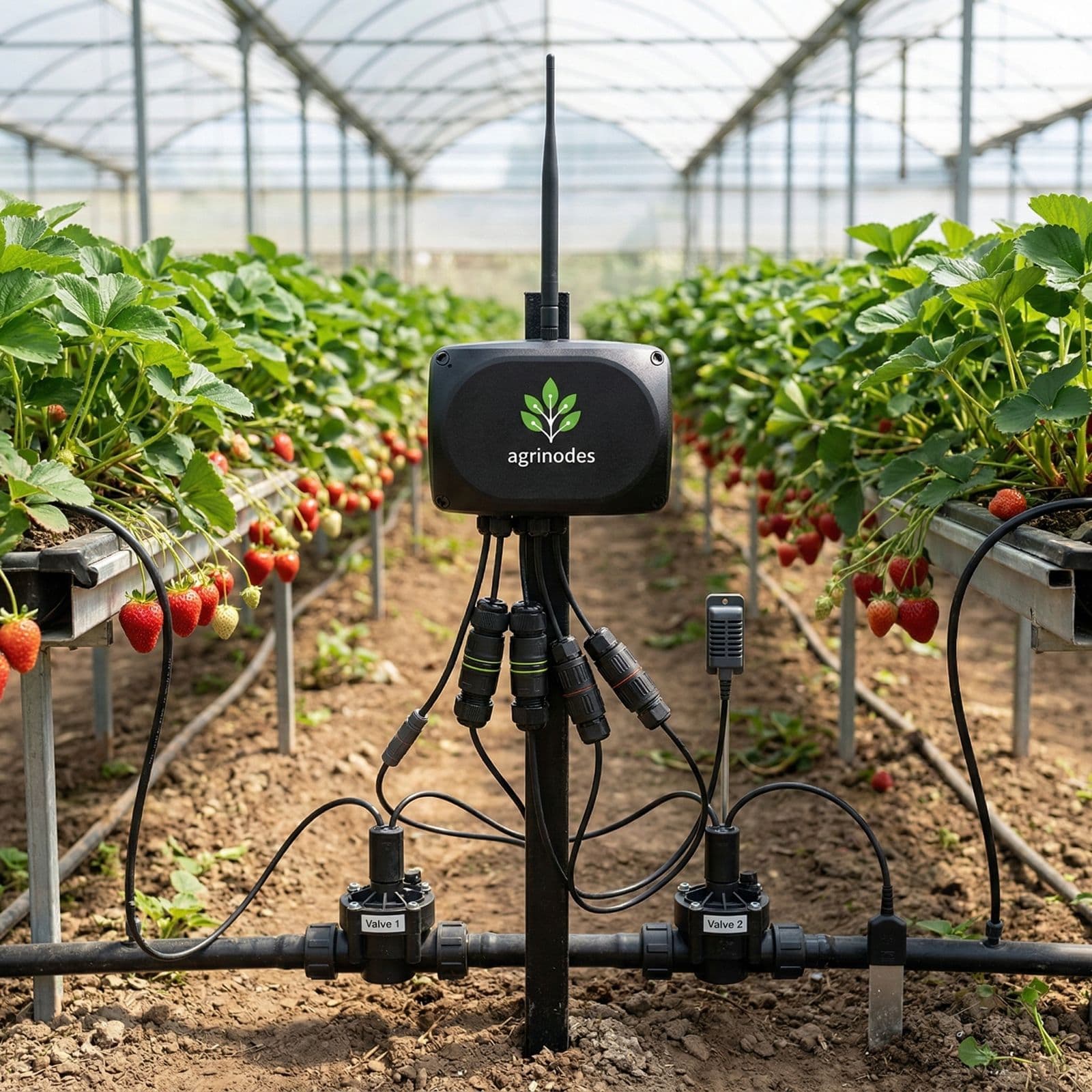
See it. Verify it.
React before you have to.
While you are in another block, packing, in the shed, or off-site — the system keeps watching. Sensors measure what is changing, safeguards act when something drifts, and push notifications reach you when something needs attention.
01 · BYO Sensors
Expand your verification surface at your pace.
Agrinodes does not dictate which sensors you buy. Start with straightforward coverage where broad visibility is enough. Invest in higher-grade instruments where precision and verification confidence matter — for fertigation, flow, pressure, or crop health. Add more sensing as your priorities and budget evolve.
Supported interfaces cover many farming sensors in commercial horticulture, viticulture, and hydroponics. Already have probes from a previous system? Many work without replacement when their electrical interface matches a supported channel.
Analog voltage
Entry-level probes for soil moisture, tank level, ambient temperature, and similar measurements. Broad coverage at lower cost.
4–20 mA current loop
Industrial-grade sensors for flow, pressure, and inline EC or pH where signal integrity over longer cable runs matters.
SDI-12
Precision agronomic instruments — multi-parameter soil moisture and EC sensors, weather stations, and laboratory-grade probes.
Modbus over RS485
Industrial instruments, meter panels, and site infrastructure. Covers a wide range of commercial-grade sensors and equipment.
CH12 voltage-output pulse
Selected 0-12 V voltage-output flow meters where the model is listed as compatible. Passive reed-switch, contact-closure, NPN, open-collector, and generic raw pulse meters are not supported.
Grower-controlled precision
A farm running only analog voltage sensors can still record conditions and trigger safeguards. A farm with SDI-12 soil instruments and compatible inline flow meters gets richer verification data. Sensor compatibility depends on the selected channel and the sensor's electrical interface.
From a $20 analog probe to a $2,000 SDI-12 industrial sensor, if you already own probes from a previous system, search our supported sensor library. If your model isn't listed yet, send a request and we'll work on adding it.
02 · Soil Calibration
Readings that reflect your soil, not a factory default.
A soil moisture sensor calibrated for loam will not read accurately in sandy, clay-rich, or substrate media. Agrinodes lets you tune each sensor to the environment it is actually installed in so the number you see matches what is happening at root level.
Alongside manual calibration, Agrinodes includes a soil sampling calibration wizard. It reviews how the sensor behaves through irrigation and dry-down, suggests the most useful sampling windows for lab testing, then helps you turn those lab points into a tighter calibration curve. That means fewer guesswork samples and a more trustworthy soil moisture reading afterwards.
Guided setup
Follow in-app prompts to match a sensor to the soil, substrate, or growing media it is installed in.
Manufacturer values
Enter supplier or lab-provided calibration values directly when they are already known.
Soil sampling wizard
Analyse live dry-down and refill behaviour, then suggest the best sampling windows to collect lab soil moisture points for your calibration curve.
Preview before apply
See how the calibrated curve will behave before you save it to the sensor configuration.
- Per-sensor, per-zone calibration instead of a one-size-fits-all factory default
- Works across field soil, coco coir, rockwool, perlite, and custom blends
- Calibration source tracked on every reading: site-tuned, wizard-built, or manufacturer-supplied
- Sampling guidance helps you collect lab points at the moments that tighten calibration accuracy the most
Calibration curve preview
Soil sampling calibration wizard
Sample 01
Post-irrigation soak
Capture the wet reference point after infiltration stabilises.
Sample 02
Mid-band check
Anchor the middle of the curve where most irrigation decisions happen.
Sample 03
Late dry-down
Lock in the dry-end reading before stress or refill obscures the point.
Agrinodes suggests the timing. You collect only the samples that materially improve the curve.
How the wizard improves accuracy
Agrinodes watches the sensor trace through irrigation, soak-in, and dry-down periods.
The wizard highlights stable wet, midpoint, and dry windows where a soil sample will be meaningful.
You take the suggested samples, send them for lab moisture testing, then apply the returned points to a calibration curve.
03 · Crop Protection
Protects your crop when nobody is watching
The most damaging failures are often the ones that sit unnoticed. Agrinodes safeguards monitor 24/7 and act autonomously when thresholds are breached, before a problem turns into a bigger loss.
Monitored Domains
Irrigation Flow
No flow during active irrigation · flow outside min/max · unexpected flow when off · insufficient flow after pump start
Soil Moisture
Soil too wet before irrigation · moisture not rising during irrigation
Electrical Conductivity
EC too high during irrigation — salt risk · escalates to CRITICAL if >10% over threshold
Pressure & Tank Level
Pressure too high with no flow — blockage · pressure too low — supply issue · tank below minimum — prevents dry-run
Incident Lifecycle
TRIGGERED → ACKNOWLEDGED → RESOLVED
Safeguard fires, incident opens. If critical, the action plan executes automatically — stop zone, close valve, kill pump, pause Programs.
Grower reviews captured evidence — threshold vs. observed, timestamp, context. Each action-plan step is confirmed by the device before advancing.
Conditions return within safe bounds for a sustained recovery window. Incident closes, system resumes normal operation.
Action Plan Steps
Better Crop Outcomes
Safeguards working around the clock
Prevent overwatering and root damage
VWC safeguards stop irrigation when soil is already saturated.
Catch pipe failures the moment they happen
Flow and pressure monitoring detects blockages, breaks, pump failures in real time.
Manage salinity before it becomes stress
EC safeguards alert before salt levels accumulate to crop-damaging concentrations.
Configurable response for every situation
Set each safeguard to critical alarm, warning, or advisory. Critical triggers multi-step action plans.
Accurate readings, accurate thresholds
Soil-specific calibration means safeguards trigger on real conditions — not sensor artefacts.
Severity Levels
Informational alert — logged and visible in the app. No automated action taken.
Conditions drifting out of range. Push notification sent. Grower should investigate.
Immediate risk. Action plan executes automatically — stop zone, close valve, kill pump.
04 · Safeguards
Rules you configure. Actions the system takes.
A Safeguard is a threshold rule the grower sets: if this reading crosses this value, run this Action Plan. Safeguards apply whether the irrigation started from a Program, a Quick Run, or a Custom Run — the same rules cover the whole water path.
What safeguards watch
No-flow detection
If a run is active and flow sensors report no movement on the line, the safeguard fires — stopping the zone, closing the valve, and logging an incident with the observed vs expected reading.
Pressure out of range
Low pressure may indicate a burst line or blocked emitter. High pressure may indicate a closed valve downstream. Both can trigger an Action Plan.
EC drift
If inline EC climbs outside the configured band during a fertigation step, the safeguard can stop the affected zone and disable Programs that would run the same step again.
Soil moisture
A zone that is still too wet before a scheduled run can trigger a safeguard that pauses or skips the run rather than waterlogging the crop.
Action Plan options
Stop the zone
Halts the current step immediately.
Close the valve
Closes the valve associated with the triggering zone.
Stop the pump
Stops the pump channel if no other zone is running.
Disable affected Programs
Locks out Programs that would repeat the same condition until acknowledged.
Every incident is logged
When a safeguard fires, the system records the threshold that was set, the value that was observed, the timestamp, and the operational context — which Program or run was active, which zone was affected, and what action was taken. Push notifications deliver the alert to your device.
05 · Farm Visibility
See what is happening across the farm.
The grower question is simple: what is happening right now? Pumps, valves, dosing equipment, stock tanks, weather assets, and zones — the current state of the farm is visible in one place, updated as events occur.
Asset
Pumps
See whether the pump channel is running, idle, or stopped due to a safeguard.
Asset
Valves
Check which valves are open, which are closed, and whether any have been held off by a safeguard.
Asset
Dosing equipment
See dosing device state and whether a fertigation step is active or has completed for a running zone.
Asset
Stock tanks
Monitor tank levels to know when stock needs topping up before the next fertigation run.
Asset
Weather assets
View live readings from weather stations connected to the farm — temperature, humidity, rainfall, and more.
Asset
Zones
See which zones are scheduled, which are currently running, and whether any are paused or disabled.
Command tracking
Every command the system sends — open valve, start pump, stop zone, disable Program — is tracked through its full lifecycle. You can see not just that a command was sent, but whether it was acknowledged, completed, failed, or expired.
Sent
Command dispatched to the Gateway or Node.
Acknowledged
Device confirmed receipt of the command.
Completed
Action carried out successfully.
Failed
Device reported an error executing the command.
Expired
Command was not acknowledged within the expected window.
06 · Fertigation Confidence
Don't trust the timer. Verify the run.
Most systems give you raw sensor numbers and call it monitoring. With the right sensors installed, Agrinodes can go further: after a fertigation run, it cross-checks flow, EC, and pressure data and assigns a confidence verdict — so you know whether nutrients actually reached the crop, not just whether the timer fired.
RUN · BLOCK A · 06:14 · 12 MIN
From numbers to verdicts
A flow reading is just data. What you actually want to know is: did this dose reach the plant? The system correlates sensor readings during each run and assigns a single verdict.
Flow + EC both observed. High confidence.
Water flowed, no EC change. Possible bypass.
Strong evidence the injector wasn't drawing.
Other verdicts: Flow confirmed · Pressure low · Stock running low · No flow confirmation
07 · Pump & Valve Safety
A pump that can't run dry. A valve that can't stay open by accident.
Pump and valve safety operates in two layers: a sub-second hardware interlock on the Gateway itself, plus server-orchestrated safeguards that watch flow, pressure and runtime across the whole farm. Both layers protect scheduled Programs and any ad-hoc zone runs.
Layer 1 · Gateway-local interlock
SUB-SECONDHardware-level rule the gateway enforces on its own — no cloud needed.
- Pump can only energise when ≥ 1 valve is confirmed open
- If all valves close, pump drops in < 1 second
- Valve open commands carry a max-runtime auto-close timer
- Survives Wi-Fi loss, cloud outage, even gateway reboots
Layer 2 · Server-orchestrated safeguards
FARM-WIDEHigher-level intelligence the cloud applies across your connected readings and operating context.
- Blockage detection — pressure climbs without flow → safe stop
- Dry-run protection — pump on but no downstream flow
- Tank-level guard — won't start supported runs when stock is below minimum
- Conflict prevention — incompatible valve combinations refused at authoring
- Command timeout — valves that don't confirm open within deadline fail their step cleanly
< 1 s
Pump-drop response
2 h
Auto-close ceiling per valve
2 layers
Gateway interlock + server safeguards
08 · Command Tracking
Know that your action actually took.
When you pause a program, stop a run, or issue a control command, Agrinodes tracks the action from server to gateway and back. Every command has a status you can see — pending, dispatched, confirmed — so you're never left wondering.
Timeboxed
If the gateway doesn't confirm within its deadline, the command is marked timed-out and the system handles the failure cleanly.
Visible
The app shows live status as each command moves through its lifecycle — no guessing whether the action reached the hardware.
09 · System Records
Every run. Every valve. On the record.
Drill from “what happened today” down to “which valve opened at 06:01 and for how long.” Every Program execution, every zone, every fertigation batch — recorded and linked.
IRRIGATION
Program → step → step-zone records
Start, end, duration, terminal reason
FERTIGATION
Fertigation run + batch records
Recipe, EC target vs actual, verdict
STOCK
Stock tank batch history
What was mixed, when, by whom
10 · Push Notifications
Never miss the things that actually matter.
Categorised, configurable mobile push notifications — so the difference between a critical pump failure and an informational Program update is obvious from the lock screen.

Configurable by category
Each user toggles categories on or off from their profile. Critical alarms always notify. Tapping any push deep-links to the relevant detail screen.
SAFEGUARD INCIDENTS
Critical/warning incidents · action plan progress
IRRIGATION EVENTS
Program started / completed · run skipped · valve timeout
FERTIGATION
Run confirmed · dosing issues · low stock
DEVICE STATUS
Gateway / Node offline · stale data · low battery
Ready to see it in action?
Start with a 14-day trial. Connect your own sensor, control your own valve, and see how Agrinodes behaves on your farm.