
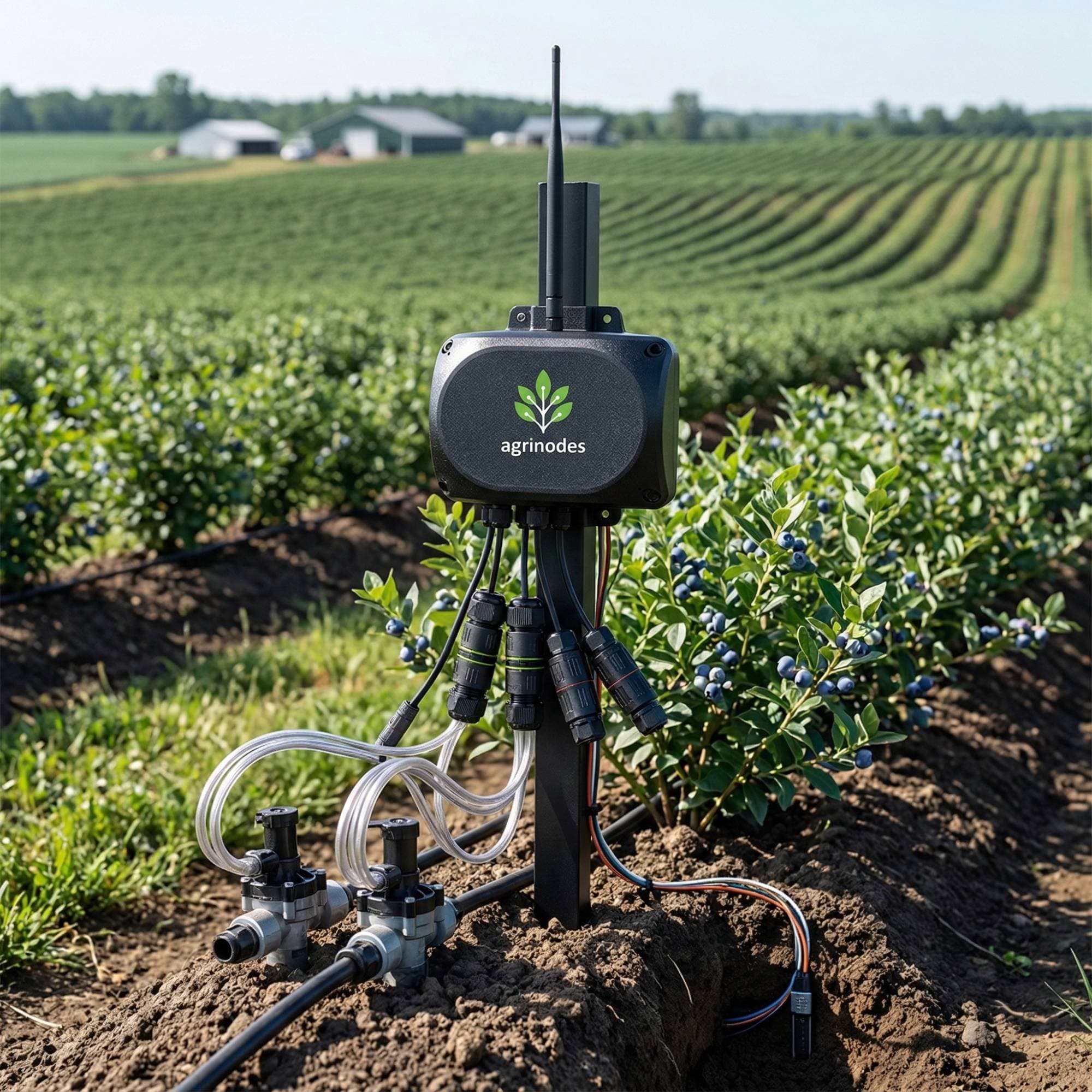
Built for real farm conditions.
The Agrinodes system centres on three field hardware roles: Gateway Mains at the main control point, Node Solar for remote field reach, and Node Mains for powered remote control points — connecting the sensors, valves, and pumps you already own to a single system you operate from your phone.
01 · Device Roles
Gateway runs your farm. Nodes extend it in two ways.
Every Agrinodes setup starts with a Gateway. Add Node Solar when you need more field reach, or Node Mains when you need a powered remote control point for a secondary mainline, shed, or fertigation area.
Gateway Mains
Central Hub$950.00 ex GST
Node Solar
Field Extension$900.00 ex GST
Node Mains
Field Extension$850.00 ex GST
| Spec | Gateway Mains | Node Solar | Node Mains |
|---|---|---|---|
| Hardware Price | $950.00 ex GST | $900.00 ex GST | $850.00 ex GST |
| Power | Mains (standard GPO) | Solar + battery backup | Mains (standard GPO) |
| Connectivity | Farm Wi-Fi + field network coordinator | Via the Gateway or nearby Nodes | Via the Gateway or nearby Nodes |
| Field role | Central hub at the main control point | Remote field extension for more reach | Local control point for a powered remote block |
| Sensor Inputs | 12 sensor channels supporting analog voltage, 4-20 mA current loop, SDI-12, Modbus over RS485, and CH12 voltage-output pulse where compatible | 12 sensor channels supporting analog voltage, 4-20 mA current loop, SDI-12, Modbus over RS485, and CH12 voltage-output pulse where compatible | 12 sensor channels supporting analog voltage, 4-20 mA current loop, SDI-12, Modbus over RS485, and CH12 voltage-output pulse where compatible |
| Relay Outputs | 7 valves + 1 pump | 4 valves, no pump output | 7 valves + 1 pump |
| Best fit | Starting point for every farm | Remote blocks beyond the Gateway location | Secondary mainline, booster, or powered fertigation point |
| Setup path | First device on every Agrinodes farm | Added after the Gateway is online | Added when you need local powered control away from the Gateway |
02 · Sensor Interfaces
Supported interfaces. Bring what you own.
The Gateway and each Node expose 12 sensor channels across analog voltage, SDI-12, Modbus over RS485, 4-20 mA current loop, and selected CH12 0-12 V voltage-output pulse options. This is not a universal compatibility claim — check that your specific sensors use a supported electrical interface before purchasing.
Analog voltage
- Common low-cost field sensors
- Broad coverage for simple measurements
- Good starting point for first deployments
- Shared across Gateway and Node inputs
SDI-12
- Premium agronomic instruments
- Multiple sensors on one cable run
- Strong fit for soil and weather data
- Higher-precision field visibility
Modbus over RS485
- Commercial and industrial instruments
- Common for flow, EC, pH, and site equipment
- Good fit where cable runs are longer
- Widely used in managed irrigation systems
4-20 mA current loop
- Industrial flow and pressure sensors
- Reliable over longer cable runs
- Strong fit for process instruments
- Common in managed irrigation systems
0–5 V, 0–2 V, or 0–12 V
Analog voltage
Connect compatible soil moisture sensors, ambient temperature probes, humidity sensors, and general analog transducers. Current hardware profiles support 0-5 V on CH1-CH4, 0-2 V on CH11, and 0-12 V on CH12.
Industrial standard
4–20 mA current loop
Connect pressure transducers, EC and pH probes, level sensors, and process instruments. The 4–20 mA loop is the standard for reliable signal transmission over longer cable runs and in environments with electrical interference.
Multi-sensor bus
SDI-12
Connect premium soil moisture and temperature sensors, weather stations, and multi-parameter probes from leading agronomic instrument makers. SDI-12 allows several sensors to share a single cable run to the input.
Serial protocol
Modbus over RS485
Connect flow meters, advanced EC and pH controllers, fertigation monitoring equipment, and industrial sensors that communicate using Modbus over RS485 on CH9. Common in commercial horticulture and hydroponics setups.
Selected 0–12 V pulse
CH12 voltage-output pulse
CH12 supports selected 0-12 V voltage-output pulse flow meters where the model is listed as compatible. Passive reed-switch, contact-closure, NPN, open-collector, and generic raw pulse meters are not supported on this hardware profile.
03 · Field Suitability
Designed to keep working.
Commercial farms deal with intermittent internet, remote blocks, cloudy days, and unexpected conditions. These are the practical reliability features built into the system for field use.
Bluetooth local control
If farm internet drops, Agrinodes supports on-site Bluetooth local control from the app so you can still operate valves, run Programs, and check live sensor readings without cloud access.
Solar-powered Nodes
Each Node has onboard solar charging with approximately 5 days of battery reserve. Nodes in your blocks keep running through cloudy days and short outages without intervention.
Field relay coverage
Nodes can relay communications for each other. If one field device temporarily loses direct reach to the Gateway, nearby Nodes can help carry the signal along across the farm.
OTA firmware updates
Gateway firmware updates are delivered automatically over your farm Wi-Fi. Node updates are applied through the app when you are on-site, so neither device requires manual flashing or a service call.
Month-to-month subscription
No annual contracts and no lock-in. The system is designed to grow with your farm: start with a Gateway, add Nodes when you need coverage, and pause or cancel on any month boundary.
04 · Setup Process
Get a Gateway online first.
Every Agrinodes farm starts with a Gateway. Get that online first, then connect your first real hardware. Nodes come later when you need to extend into the field beyond the Gateway location.
~30 min
to get a Gateway online
DIY
for Gateway setup
No
specialist tools
Electrician
only for mains pump / valve wiring
Part 1 · Get the Gateway online
Plug in the Gateway
Use a standard GPO power outlet and place the Gateway where it can reach your farm Wi-Fi.
The Gateway itself is plug-in hardware. Use a licensed electrician only for mains-voltage pump or valve wiring.
Open the app and pair over Bluetooth
Pair the Gateway in the Agrinodes app and provide your Wi-Fi credentials to get it online.
This is the setup step that gets the Gateway onto your farm network. It does not connect automatically on its own.
Create your farm and define your first zone
Set up your farm in the app, name your first zone, and map the hardware you want this Gateway to control.
Every Agrinodes setup starts with one Gateway as the central hub. Your 14-day trial starts when you set up your first Gateway in the app.
Part 2 · Connect your first real hardware
Wire your first valve, pump control, and sensors
Connect a compatible valve or pump control output and wire in the sensors you want to read from day one through the external field connectors.
You can start simple with one real irrigation scenario, keep the enclosure sealed, and expand the hardware mix later.
Sealed external connectors
Gateway: GPO power, pump control, valves, and Node links
Node: solar charging, valves, and sensors
Normal field wiring stays outside the enclosure, so you do not need to open the box during day-to-day installation work.
Configure channels, verify readings, and go live
Check that the app is receiving the readings and control states you expect from the hardware you have connected.
Once your hardware is connected and configured, the app begins showing live status, readings, and control for that setup.
Adding Nodes later
Nodes are for extending into additional field locations once you need coverage beyond the Gateway location.
During the 14-day trial, setup is Gateway-only. After you convert to a subscription, you can add Nodes to bring sensors and control deeper into the field.
This setup flow is intentionally the canonical first-run path. Expand into pumps, additional sensors, and Nodes once the Gateway is online and your first real workflow is behaving the way you expect.
Ready to see it in action?
Start with a 14-day trial. Connect your own sensor, control your own valve, and see how Agrinodes behaves on your farm.